
Otter's Mid-Page 'Ask Otter Anything' Widget: Letting the Product Sell Itself
Otter.ai embedded a persistent AI chat widget mid-page to answer pricing, security, and integration questions inline. Here's why that friction-removal bet is worth stealing.
Jordan Reeves
Founder & Operator · Jul 8, 2026
The Detection
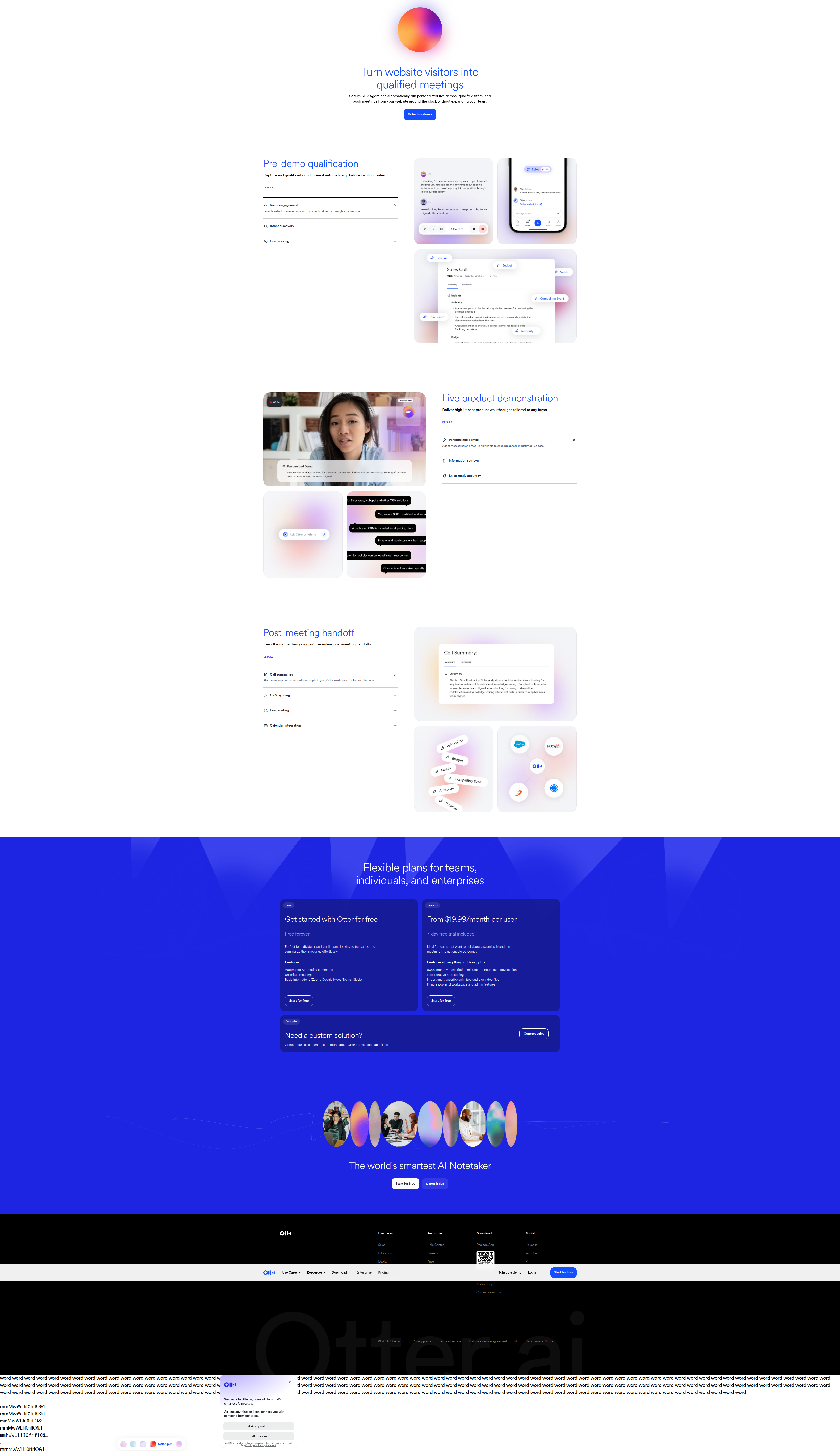
We caught Otter.ai running something you don't see often: a persistent chat widget dropped mid-page on the product surface, not tucked in the corner as a support afterthought. The copy is dead simple — "Ask Otter anything" — and it's positioned right where visitors are still evaluating, not after they've hit a wall on a pricing page or a docs search.
The mechanic matters more than the copy. Instead of routing "does this integrate with Zoom" or "is this SOC 2 compliant" to a contact form or a sales queue, the widget answers inline, in-session, before the visitor has to decide whether the question is worth a form fill. That's the whole bet: collapse the distance between "I have a question" and "I have an answer" to near zero.
Why This Is Rare
Most SaaS sites treat chat as a bottom-right icon that shows up after you've scrolled past the fold — an escape hatch for people who are already stuck. Embedding it mid-page, unprompted, framed as an open invitation ("anything") is a different posture. It says: we expect you to have unresolved questions right now, and we're not going to make you find the help.
We log this as a 70% rarity pattern for a reason. Most teams are scared of it. The fear is legitimate — a chat widget mid-page can read as clutter, can compete with your primary CTA, and can turn into a support cost center if it's not scoped tightly. Otter clearly scoped it: pricing, security, integrations. Not "how do I use this," not open-ended support. Pre-signup evaluation questions, specifically the ones that would otherwise make someone bounce to Google or a competitor's comparison page.
The Anecdote: What Happens When You Don't Answer the Question On-Page
At one company I ran, we had a security questionnaire PDF linked from the footer. Nobody read it. What we found in session recordings, over and over, was prospects opening a new tab, typing "[product] SOC 2" into Google, landing on a G2 comparison thread, and sometimes just... staying there. We were losing people to our own unanswered questions, mid-funnel, to content we didn't control.
We fixed it cheaply — not with a chat widget, we didn't have the AI tooling yet, but with an FAQ accordion stapled right under the pricing table, addressing the five questions our sales team got asked in every single demo call. Signups from that page segment moved a measurable amount within two weeks. Nothing about our product changed. We just stopped making people leave the page to get information we already had memorized.
Otter's widget is the same insight with better tooling. An LLM-backed chat can cover far more ground than five FAQ bullets, and it can do it conversationally, which matters for the questions people don't want to type into a search bar — "is this actually better than [competitor]" being the one nobody puts in an FAQ.
The Trade-off Nobody Talks About
Here's the part worth being honest about: embedding a chat widget mid-page is a bet against your own page copy. If visitors need to interrogate the page to understand it, that's arguably a sign the page isn't doing its job. The research on landing page layout best practices is pretty consistent that simplicity and a single clear CTA path outperform cluttered pages — adding an open-ended chat surface is, on its face, adding a second thing to look at.
But I don't think that critique holds once you separate "clutter" from "escape hatch." A well-scoped chat widget isn't competing with your CTA — it's insurance against the moment someone almost clicks it but has one lingering doubt. The visitors who'd convert anyway barely notice the widget. The ones who wouldn't — the ones who'd otherwise open a new tab and never come back — get to resolve their doubt without leaving. You're not adding friction to the confident path; you're removing an exit ramp from the uncertain one.
The real risk is scope creep. If the widget starts fielding "how do I cancel my subscription" or genuine support tickets, you've built a second support channel disguised as a conversion tool, and now it's a cost center with unclear ROI. Otter's framing — pricing, security, integrations — keeps it firmly in the pre-signup evaluation zone, which is where AI chat actually pays for itself: it's answering questions your sales team already answers on every call, just doing it without a human in the loop and before the prospect has entered a funnel with a name attached to it.
What This Signals About Where CRO Is Heading
This detection fits a broader shift we're tracking: AI-driven personalization and real-time response are moving from "nice to have" to standard-issue on high-intent pages. Recent surveys of AI-based CRO tactics point at the same pattern — the winning implementations aren't AI for AI's sake, they're AI collapsing a specific, previously-manual friction point (form-routing, live chat staffing, personalized content) into something that responds instantly and only where it matters. Otter didn't bolt AI onto their homepage as a badge. They used it to kill a specific bounce reason.
What I Would Actually Do Next
Before you build or buy a chat widget, pull your last 20 sales call transcripts or support tickets from prospects (not customers) and tag every question that came up before they signed up. If you get a tight cluster — three to five recurring questions, the way Otter's are scoped to pricing/security/integrations — that's your signal to build a narrow, scoped inline answer surface, AI-backed or not, on the page where those prospects currently bounce. If the questions are all over the map, don't build the widget yet; fix your page copy first, because a chat widget won't save a page that isn't explaining itself. Scope beats sophistication here — a widget that answers five things well outperforms one that tries to answer everything.
See more like this
ABWatcher catches A/B tests like this every day.
Watch live experiments at 1,000+ high-converting brands, complete with hypothesis and takeaway. Free forever for ten watched companies.